Client progress tracking

Track client progress with more context than a check-in message

MyFitnessGoals helps trainers understand whether clients are completing training, recovering well, and moving toward measurable outcomes.

  • Review workouts, frequency, and exercise progress over time.
  • Connect body metrics and readiness signals to training history.
  • Use progress views to make coaching decisions faster.
  • See which clients are consistent and which need attention.
  • Access client data from any device through the web dashboard.

How it works

1

Clients log workouts

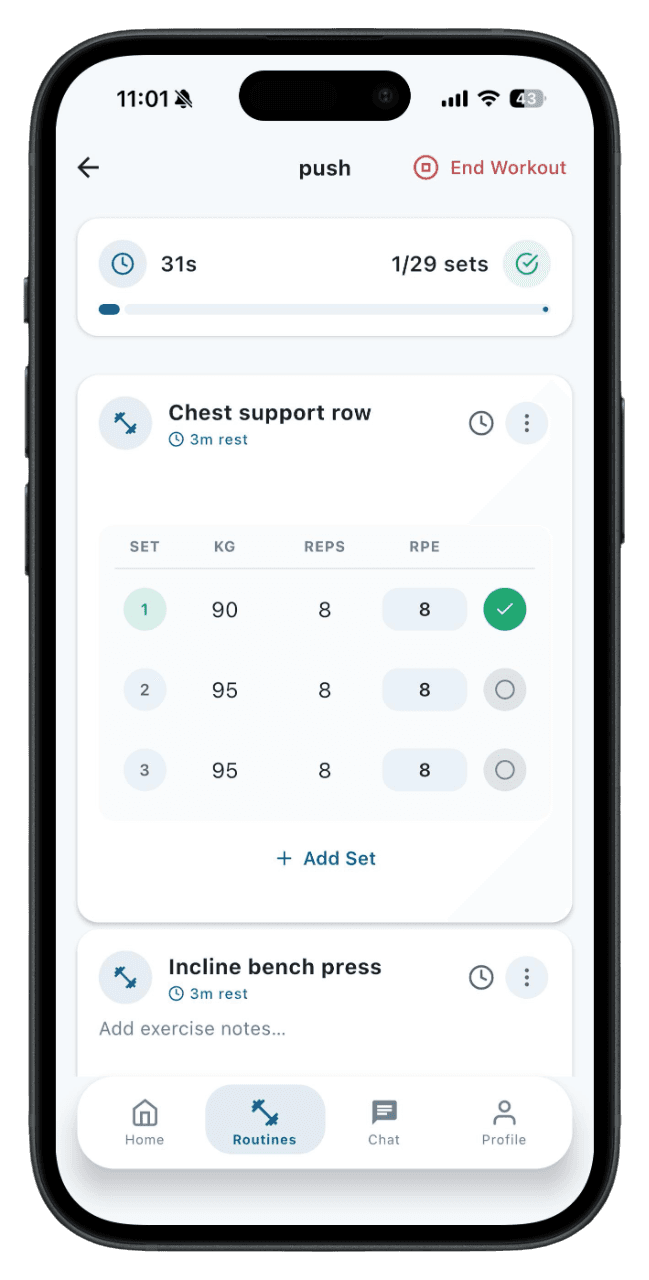
Your clients follow assigned routines and log sets, reps, and weight from the mobile app during each session.

2

Data syncs to your dashboard

Workout completion, frequency, and exercise-level trends appear on your trainer dashboard automatically.

3

Review progress signals

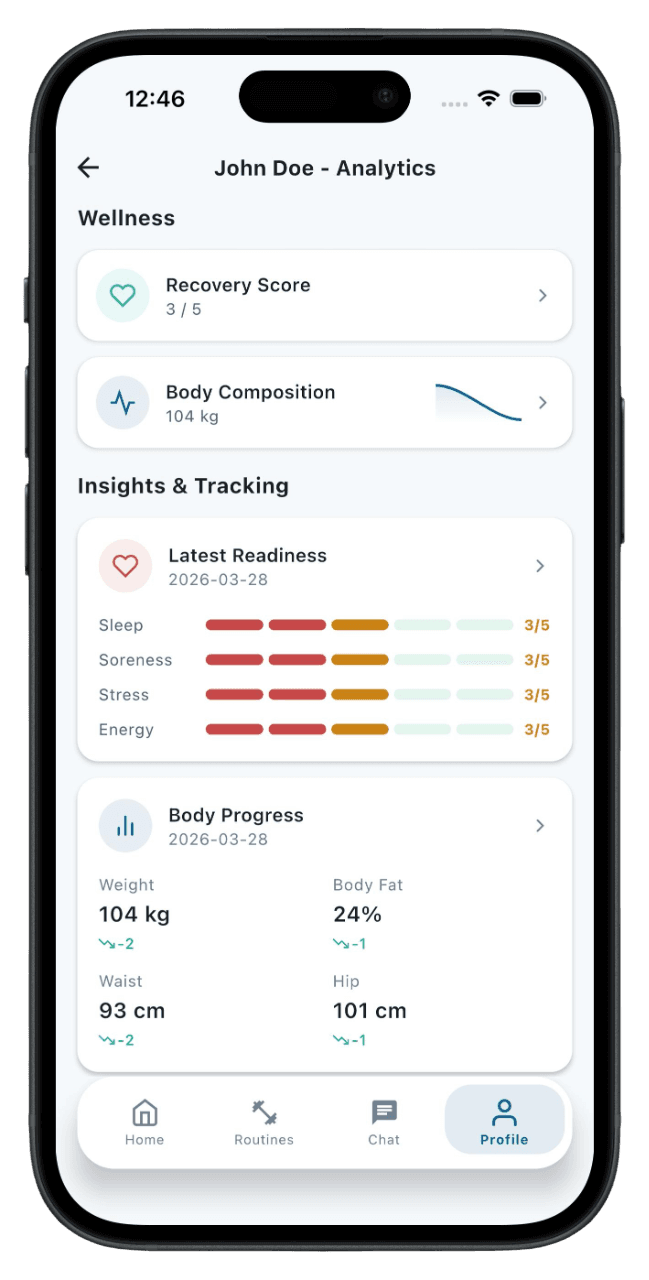
Body metrics, readiness entries, and strength trends give you a fuller picture than workout logs alone.

4

Adjust the plan

Use the data to make informed decisions about programming changes, deload timing, or check-in focus areas.

Progress is more than weight

Client results depend on consistency, strength, recovery, body metrics, and adherence. Tracking those signals together gives trainers a clearer picture than any single metric. Weight alone doesn't tell you if a client is getting stronger, training consistently, or recovering well between sessions.

Better check-ins

Instead of asking clients to summarize everything manually, trainers can review logged workouts and trends before adjusting the plan. This makes check-ins shorter and more focused because you already know what happened since the last conversation.

Actionable trends

The platform is designed to show what needs attention: missed sessions, stalled lifts, changing body metrics, or readiness patterns. Trends surface the information that matters so you can act on it instead of digging through raw data.

Client-level detail

Each client has their own progress view with workout history, strength charts, and body metric trends. This makes it easy to compare a client's current performance to their baseline and identify what's working or what needs to change.

Who is this for

Personal trainers reviewing weekly client check-ins
Online coaches monitoring remote athlete compliance
Strength coaches tracking barbell progression across training blocks
Rehab specialists monitoring return-to-training volume
Group program coaches overseeing multiple clients at once

What progress tracking actually includes

Progress tracking in a coaching context goes beyond writing down numbers. It means connecting workout completion to strength trends, linking body metrics to training volume, and seeing readiness patterns alongside programming decisions. When these signals are tracked together, trainers get a narrative — not just a spreadsheet — that explains whether the plan is working and where to adjust. MyFitnessGoals tracks workout frequency, exercise-level strength, body metrics, and readiness as connected data points.

Metrics that matter for training decisions

Not all metrics are equally useful. The ones that drive coaching decisions include workout consistency (are they showing up?), strength progression (are their lifts moving?), body metric trends (is weight or composition changing in the expected direction?), and readiness signals (are they recovering between sessions?). MyFitnessGoals surfaces these metrics in a way that connects them to the training program, so the data answers real coaching questions instead of creating noise.

How often to review client progress

Most coaches review progress too infrequently or rely on end-of-block assessments. A more effective approach is lightweight weekly check-ins combined with a deeper review every four to six weeks. Weekly reviews catch issues like missed sessions or sudden readiness drops before they compound. Monthly reviews assess whether strength and body metrics are trending in the right direction over a meaningful time frame. MyFitnessGoals supports both by showing recent data at a glance and providing trend views for longer periods.

Using data to adjust training plans

Data without action is just storage. The purpose of tracking client progress is to make better programming decisions. When strength plateaus, volume or exercise selection may need to change. When workout frequency drops, the plan might be too demanding or the client may need a deload. When body metrics stall, nutrition and training adjustments should be coordinated. MyFitnessGoals gives trainers the data to recognize these patterns and the routine builder to act on them without switching tools.

Keep exploring MyFitnessGoals

These pages cover the same training workflow from a different search intent, so you can compare tracking, planning, coaching, and progress use cases.

Free Workout Tracker App: Log Sets, Reps & Progress

MyFitnessGoals gives athletes a clean training log for routines, completed sets, body metrics, and weekly progress while keeping trainers connected to the work their clients actually do.

Read the guide

Workout Planner App: Build Custom Gym Routines Fast

MyFitnessGoals helps athletes and trainers build structured routines, keep workouts consistent, and turn training ideas into sessions people can actually complete.

Read the guide

Personal Trainer Software for Coaches, Studios & PTs

MyFitnessGoals gives personal trainers a practical dashboard for managing clients, building routines, assigning workouts, and reviewing progress without juggling scattered tools.

Read the guide

Online Coaching Platform for Remote Fitness Trainers

MyFitnessGoals supports trainers who coach clients remotely or hybrid by combining workout planning, client tracking, and progress review in one platform.

Read the guide

Find a Personal Trainer: Browse Profiles in One App

MyFitnessGoals lets you track workouts for free. When you want coaching, browse trainer profiles, find someone who fits your goals, and send a training request — all from the same app.

Read the guide

Gym Workout App for Lifters: Track Strength & Sets

MyFitnessGoals is built around real gym training — barbell lifts, dumbbell work, machine sets, supersets, and the way you actually move between exercises.

Read the guide

Workout Journal App: Searchable Long-Term Training Log

MyFitnessGoals turns every training session into a searchable journal — sets, reps, notes, and how the session felt — so you can review what worked instead of guessing.

Read the guide

See the workflow, not just a feature list

MyFitnessGoals connects planning, workout logging, and progress review so athletes and trainers can inspect what happened instead of relying on scattered notes.

Built for serious training data

Fitness software touches personal progress, habits, and health-adjacent data. The page should make the product easy to evaluate before anyone signs in.

  • Clear contact, privacy, and legal pages are available from every landing page.
  • The mobile app is released on the App Store and Google Play, and the web platform is available on any browser.
  • English and Croatian pages are maintained with matching content and language support.
MyFitnessGoals mobile workout dashboard showing recent training activity

Workout execution

Clients and independent athletes can follow routines, complete sessions, and keep training history in one place.

MyFitnessGoals mobile analytics screen showing progress trends

Progress context

Workout frequency, body metrics, readiness, and strength trends give the next check-in more useful context.

MyFitnessGoals mobile routine screen showing planned exercises

Trainer visibility

The web platform gives trainers a practical view of clients, routines, contracts, and training progress.

Questions this page answers

What can trainers track?

Trainers can review workout completion, routines, strength progress, body metrics, and readiness entries where clients use those features. All data comes from the client's app usage — no manual entry required on the trainer side.

Does this help online coaching?

Yes. Shared progress data makes remote coaching easier because trainers can see what happened between conversations. You don't have to rely on clients sending screenshots or summaries.

Do clients have to enter data manually?

Clients log their sets during workouts, which takes seconds per exercise. Body metrics and readiness are optional entries they can add when they choose. The data syncs to your dashboard automatically.

Can I see progress for individual exercises?

Yes. Strength trends are tracked at the exercise level, so you can see how a client's performance on a specific lift has changed over time.

How quickly does data appear after a workout?

Workout data syncs to the trainer dashboard as soon as the client completes their session and has an internet connection. There's no manual transfer or import step.

Can I compare progress across clients?

Each client has an individual progress view. The dashboard gives you a roster-level overview of consistency and activity, while detailed progress is reviewed per client.

What if a client doesn't log workouts?

The dashboard shows workout frequency, so you can see which clients are logging consistently and which aren't. You can address compliance directly during check-ins.

Is body metric tracking required?

No. Body metrics and readiness are optional features. Clients choose whether to use them. Trainers see the data only for clients who opt in.

Can I see historical data from past training blocks?

Yes. Workout history and trends are retained so you can compare current performance to past blocks, review what worked previously, and make better decisions about future programming.

Does this replace regular check-in conversations?

No. Progress tracking supports check-ins by giving you data to reference, but it doesn't replace direct conversation. The combination of logged data and coaching dialogue leads to better outcomes than either alone.

For Athletes and Trainers

Ready to Take Your
Training to the Next Level?

MyFitnessGoals is live on the App Store and Google Play. Download the mobile app to track workouts and follow routines, or contact us to learn more about the trainer platform.